A free RGB configuration tool for MSI
MSI Mystic Light is an RGB lighting control software developed by MSI for use with its motherboards, graphics cards, and compatible peripherals. It allows PC enthusiasts to customize the color, brightness, and patterns of LEDs across components, providing full control over the visual aesthetics of a gaming or productivity setup.
Top Recommended Alternative
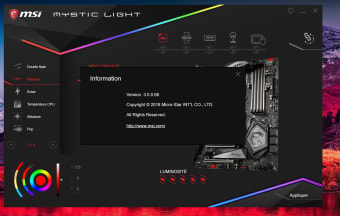
MSI Mystic Light integrates with the MSI ecosystem and many third-party devices that support the Mystic Light Sync protocol, enabling a unified lighting experience across your entire rig. This utility tool allows MSI users to personalize their computer setups and truly make them their own.
What is Mystic Light?
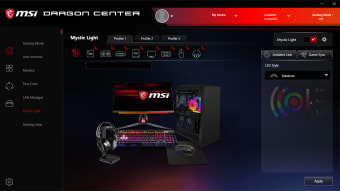
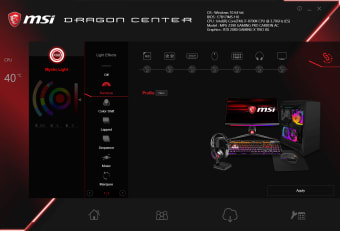
The MSI Mystic Light software allows users control the lighting of their MSI components, ranging from the B-Series and Z-Series motherboards to the GAMING and VENTUS series of graphics cards. The OPTIX line of gaming monitors and some gaming laptops are also supported. Various peripherals, including the MAG Max line of PC case fans, the MAG CORELIQUID series of liquid CPU coolers, a gaming mouse and keyboards, and even LED light strips, can also be configured.
This configuration tool can also be used with other components that are not made by MSI, including RGB fans and LED strips. They utilize the industry-standard 4-pin connectors that can be plugged into a motherboard header or through an RGB controller hub. Similar to Asus Aura Sync and Gigabyte RGB Fusion, Mystic Light provides a robust set of features for configuration. The effect of the RGB color depends on the number of addressable RGB LEDs available.
Custom RGB lighting at your fingertips
Recent updates in 2025 focused on increasing compatibility and lighting options. MSI introduced new RGB effects, including audio-reactive modes and customizable gradients. Mystic Light now supports more third-party RGB peripherals, broadening synchronization options beyond MSI hardware. The interface has also received minor improvements for easier zone selection and preview, while performance optimizations reduce CPU usage during intensive lighting effects. However, it can be power-hungry with occasional glitches and compatibility issues with older or non-MSI hardware.
If you are using multiple RGB devices, you can take advantage of a feature called Mystic Light Sync. As the name suggests, it lets you synchronize all of your device lights into a unified theme or have them light up in tandem with one another. Meanwhile, the gaming-centric feature called Ambient Link allows you to synchronize your lighting with certain games for a more realistic and immersive gaming experience.
A solid RGB tool for MSI users
MSI Mystic Light stands out as a convenient RGB configuration utility for users within the MSI ecosystem, offering wide customization, device syncing, and expanding compatibility. With new effects and a cleaner interface, it provides more control over lighting aesthetics and gaming immersion. However, occasional bugs, resource usage, and limited support for older or non-MSI hardware remain drawbacks. Still, it’s a strong RGB solution for personalizing PC setups.